
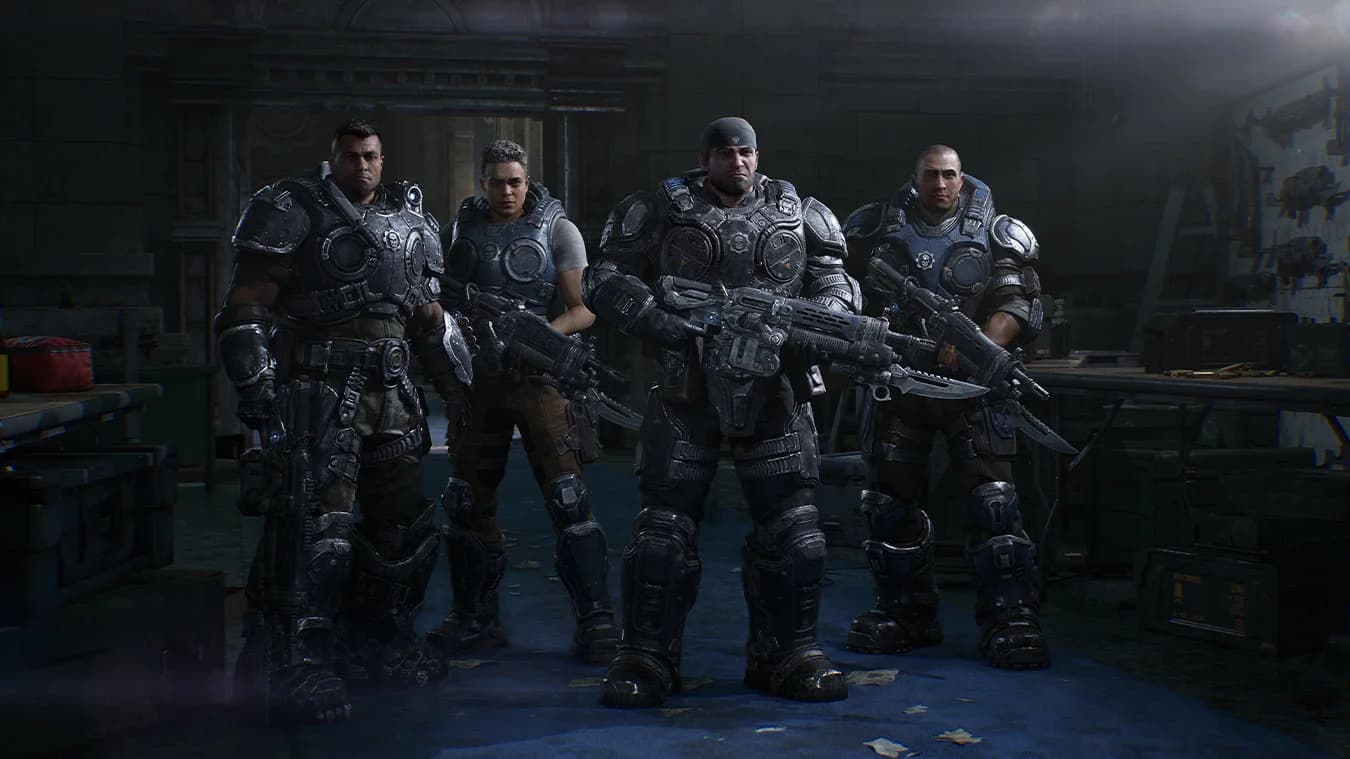
Two players locally, four online
For a group of four, choose online co-op. On console, online multiplayer requires a Game Pass plan that includes online multiplayer. PC split-screen is not supported.[1]
Can two local players join two friends online?
The Nerd Stash reports that split-screen players can join online users. Its footage does not verify the exact two-local-plus-two-online configuration; inspect the report and lobby image below.[5]
Mixed joining: a launch guide report
The Nerd Stash’s October 1 guide says split-screen players can join others online. The channel also answered yes to a viewer asking whether their split-screen friends could join an online campaign.[5]
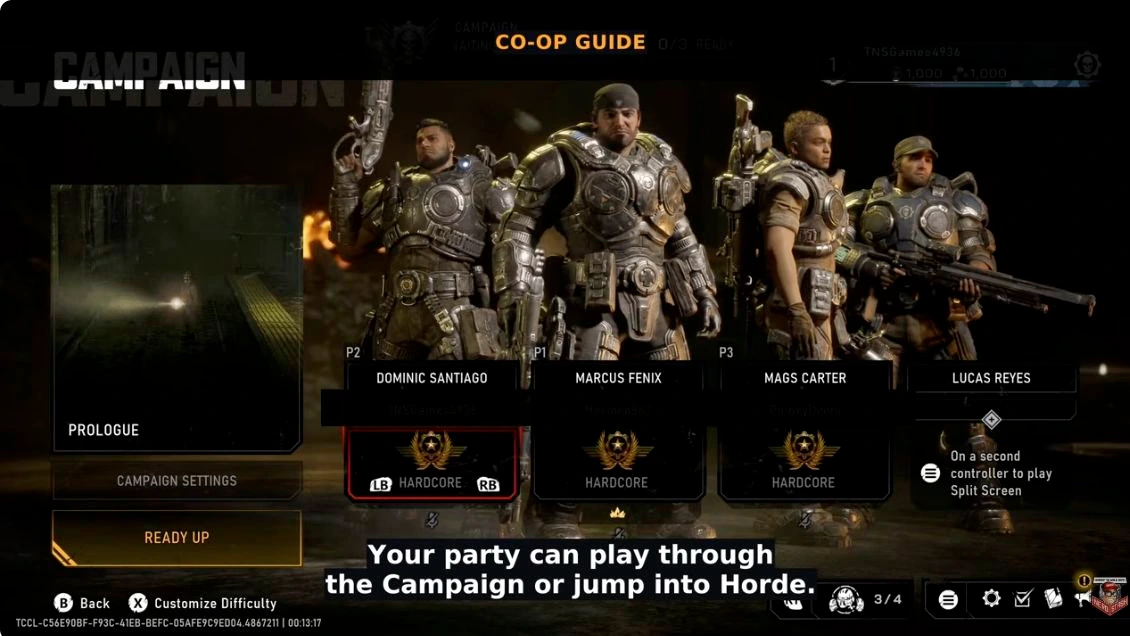
Treat mixed joining as an author-reported capability. The inspected footage does not show a completed two-local-plus-two-online lobby, and the test platform is not identified. That exact configuration still needs direct session verification.[5]
Lobby controls
Recording build unverified. In this recorded Campaign lobby, both occupied player slots show Hardcore. Ready Up and Customize Difficulty are visible; the screen displays 0/2 Ready and a separate 2/4 party counter. The local/online player allocation remains unverified.[6]
A guest profile for a couch partner
In Polygon’s October 1 hands-on, a second controller joined the local session using a guest login. Ari Notis reported that this worked without creating another account or recovering an old password.[7]
Here, guest profile refers to the local sign-in. The visiting player’s upgrade restrictions are covered below. This local-session report leaves persistent guest progress and the exact two-local-plus-two-online configuration unverified.
Which upgrades can a guest use?
Can It Co-Op? and NorZZa reported that a guest who had finished the campaign could use only the weapon, armor and gadget upgrades available in their earlier-progress host’s campaign. Treat this as a reported session restriction: the review does not establish permanent changes to the guest’s own save or identify the platform used for this test. Their October 1 review disclosed access provided by Xbox.[8]
Before choosing a shared loadout, compare what the host has unlocked. Use Supply Caches for the upgrade system and Campaign Loadouts for equipment choices.
- 01
Compare unlocks
Check what the host has available before choosing equipment.
- 02
Refit together
At a Supply Cache, pick from the equipment your session offers.
Choose your member of Bravo Squad
| Character | Background | Voice actor |
|---|---|---|
| Marcus Fenix | Pendulum Wars veteran and Carlos Santiago’s closest friend. | John DiMaggio |
| Dominic Santiago | Marcus’s fellow soldier, grieving his older brother Carlos. | Carlos Ferro |
| Mags Carter | Former Gear working at the Imulsion Refinery. | Elizabeth Ludlow |
| Lucas Reyes | Cadet and communications officer. | Jake Ryan Lozano |
All four characters are available in the co-op lobby from the beginning. In the August campaign preview, solo play follows Marcus while AI teammates assist in combat and revive him when he goes down.[2][3]
Horde uses a separate class system: Assault, Breacher, Marksman and Medic. You can combine a character skin with your chosen Horde class; the campaign roster does not lock you into those roles.[9]
Five acts across three days
The campaign follows three days in Kalona, from the shock of the invasion to Bravo’s fight through a collapsing city. The achievement list identifies five acts, along with secondary objectives and collectibles. The opening premise centers on Marcus and Dom rebuilding their friendship after Carlos’s death.[3][4]
Act 2’s preview takes Bravo through City Hall, Oria Stadium and a rail station. City Hall serves as a command and medical base; at the stadium, Tai and Theta Squad introduce the prototype chainsaw rifle. Supply Caches let you change weapons and equip mods along the way.[2]
Explore Kalona for the setting, or Emergence Day’s timeline to see where the story fits beside Judgment and the original game.[1][3][10]
Set up a campaign that works for your group
| Feature | Confirmed support |
|---|---|
| Co-op difficulty | Each player can choose their own difficulty independently. |
| Custom difficulty | Specific campaign gameplay settings can be adjusted. |
| Pause | Open the menu in solo; only the host can pause in co-op. |
| Campaign save slots | Up to five separate playthroughs or states. |
Use separate saves for different groups or difficulty runs. The accessibility settings guide covers navigation aids, captions, aiming support and input options. Navigation aids apply to Campaign and Horde Siege.[11]
For chapter order and completion goals, open Campaign Acts & Chapters or Campaign Collectibles. The collectible and Supply Cache item counters are separate tasks.[4][12]
Crossplay, saves and Steam friends
E-Day’s Steam product description supports cross-platform multiplayer, with two-to-four-player online co-op and up to eight players in competitive matches. Linking enables invites and progression. Xbox–Steam campaign slots stay separate; restart an unlocked chapter when switching stores.[13][14]
The August multiplayer beta supported cross-platform squad invitations. Steam players used the main menu’s Social pane → Link Account to connect a Microsoft account and invite friends across platforms. Linking was optional for playing the Steam beta itself.[15]
Xbox Play Anywhere covers buying once for Xbox console and Windows PC through the Xbox ecosystem. It is a game license feature; Steam is a separate storefront. See Release & Editions for the purchase and Game Pass options.[1]
How do I enable splitscreen on PC?
Local split-screen is available on Xbox Series X|S only. On PC, use online co-op for the campaign.[1]
Sources & further reading
- Gears of War: E-Day official game pageXbox
- E-Day campaign hands-onXbox Wire · August 25, 2026
- Rebuilding BrotherhoodXbox Wire · June 7, 2026
- E-Day official achievements list (campaign hints)Xbox Wire · September 9, 2026
- How Co-Op Works in Gears of War E-Day No Nonsense GuideThe Nerd Stash · 2026-10-01
- LobbyAaron Shack · Stream date unverified
- Local co-op hands-on and developer interviewPolygon · Ari Notis · October 1, 2026
- Is Gears of War E-Day More Fun With Friends? — Co-Op Campaign ReviewCan It Co-Op? and NorZZa · original co-op review · 2026-10-01
- E-Day Multiplayer Deep DiveThe Coalition · July 30, 2026
- Gears of War: Judgment — Games with Gold overviewXbox Wire · March 26, 2015
- E-Day accessibility, controls, audio and interface settingsThe Coalition / Gears Support
- Published campaign order: all acts and chaptersWhisper of the House · October 2, 2026
- E-Day Steam listing: PC requirements, features & cross-platform playXbox Game Studios / Steam
- E-Day supportXbox Support
- E-Day Open Beta: access, FAQ & August 12 updateThe Coalition · August 12, 2026